How to Stop Gym Billing From Leaking: A 5 Step Fix
By Abhishek Upadhyay7 min read
This is the solution only. No theory, just the system to put in place.
Step 1: See every due and failed payment in one place
Check one list every morning. The list must show member name, amount, due date, days overdue, and what happened with the last payment attempt.
If a failed payment is not visible, it will not be followed up. Visibility comes before everything else.
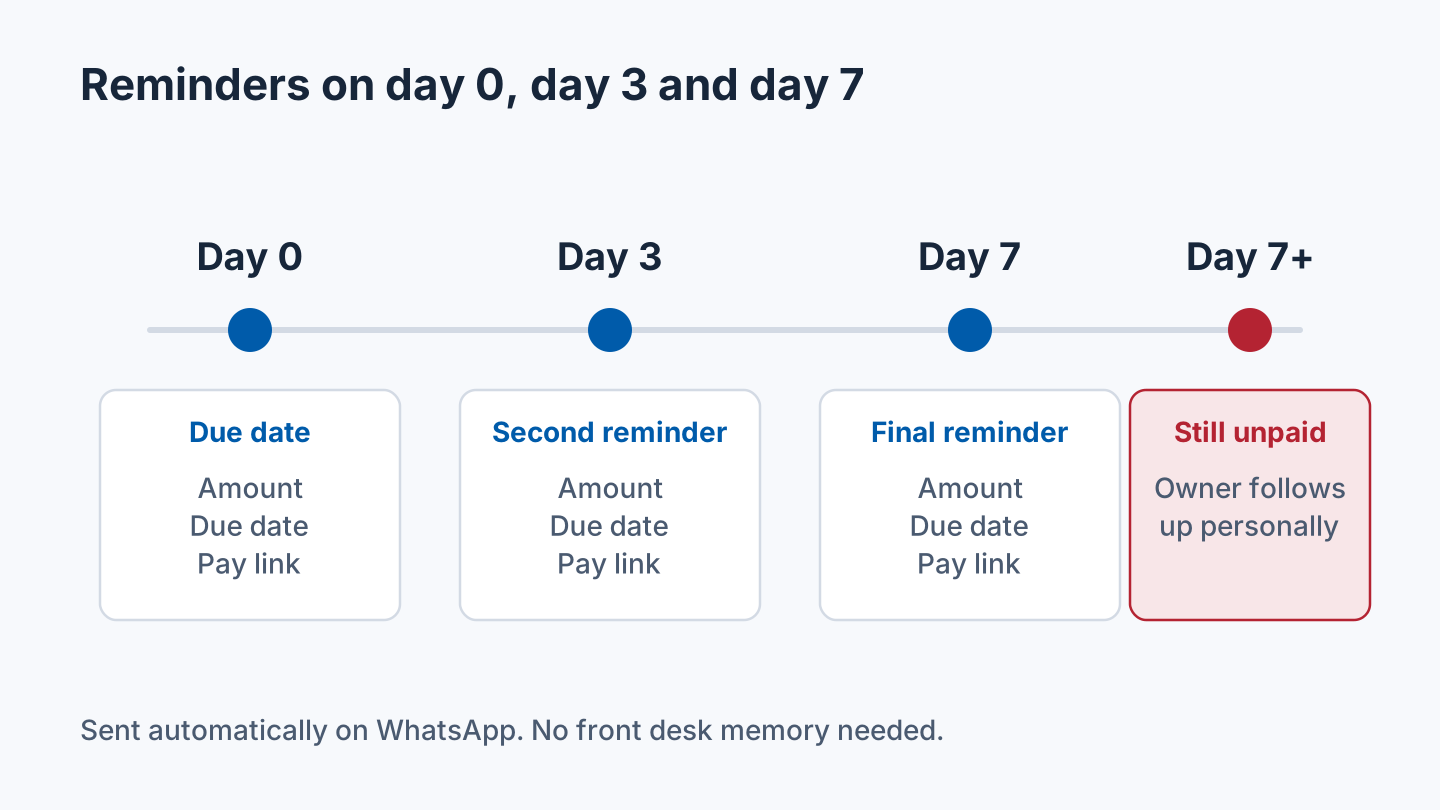
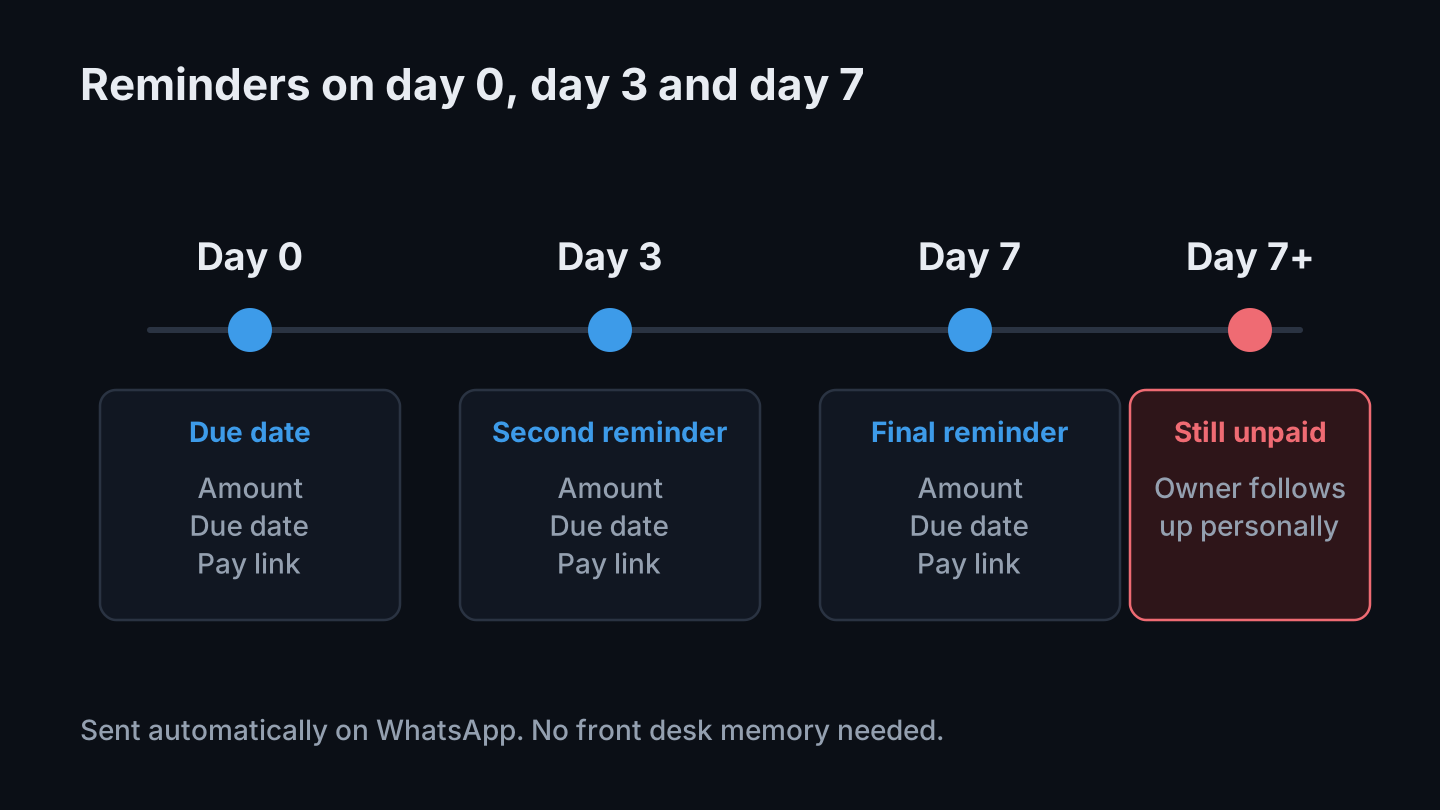
Step 2: Automate reminders on day 0, day 3, and day 7
Send a reminder on the due date, again on day 3, and again on day 7. Use WhatsApp, because that is where members actually reply in India.
Each reminder needs three things only: amount, due date, and a pay link. Do not send a long message, and do not rely on front desk staff remembering to chase.
Step 3: Give members a one tap pay link
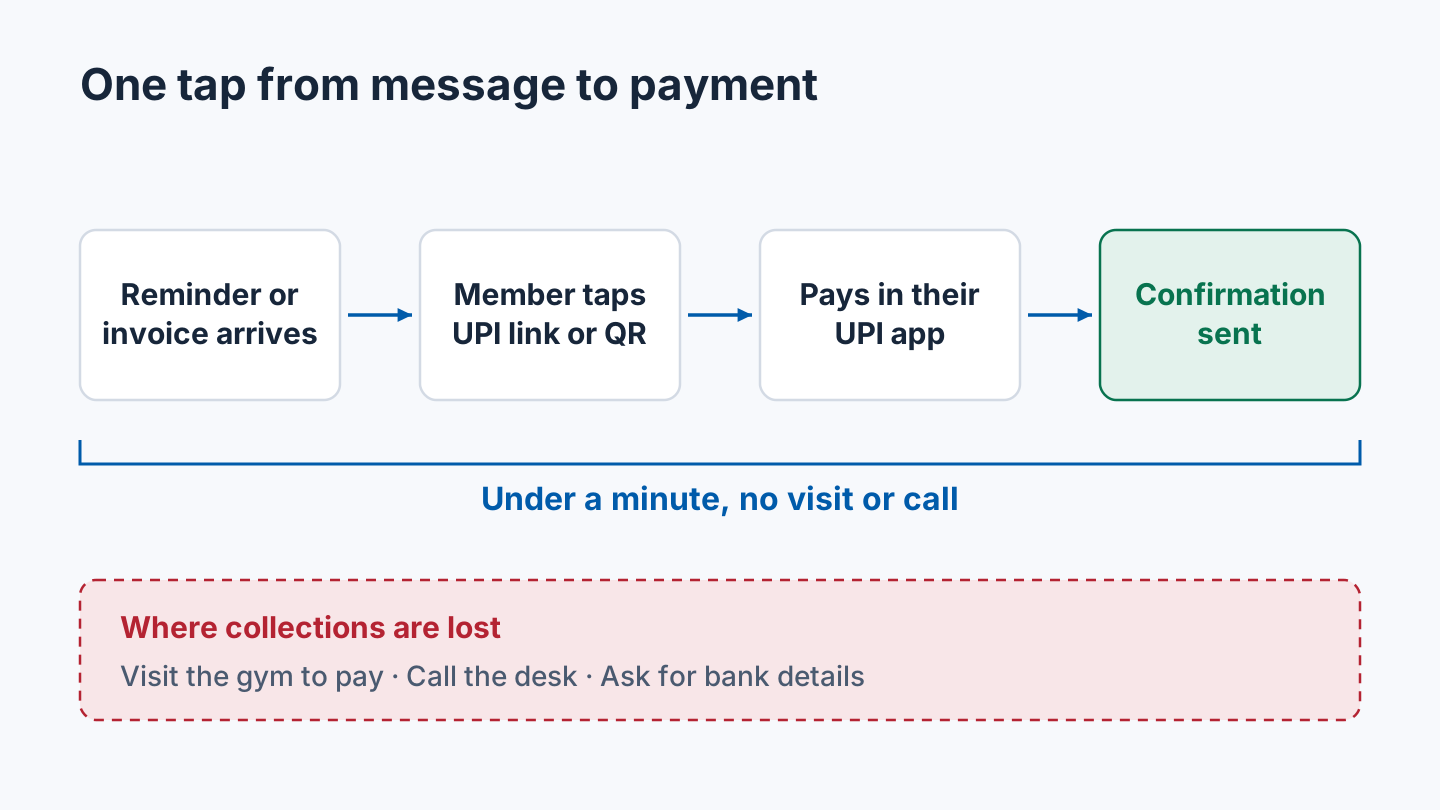
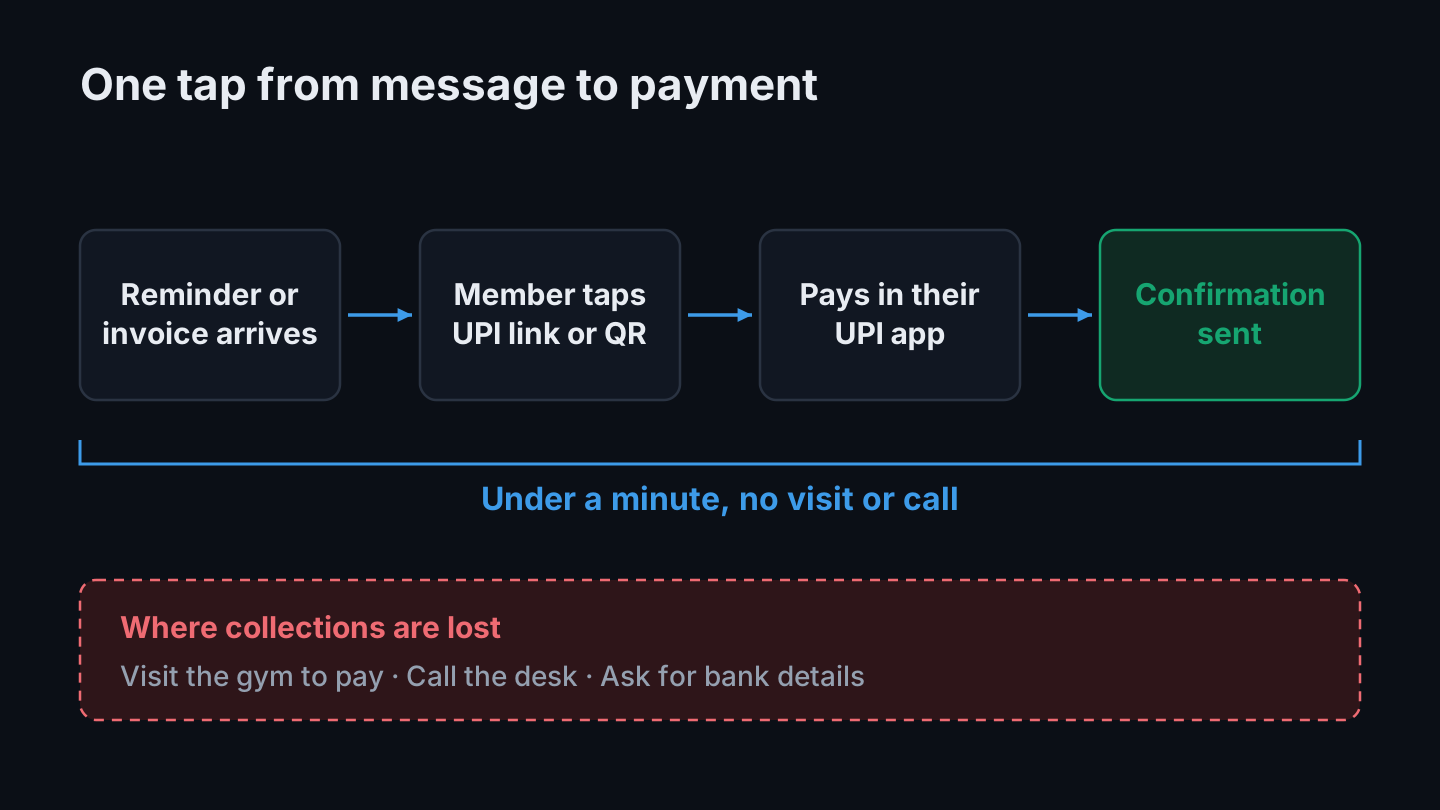
Every reminder, invoice, and renewal notice should carry a UPI pay link or QR code. If a member has to visit the gym, call, or ask for bank details to pay, you will lose collections.
A payment should take under a minute from the message to the confirmation.
Step 4: Move renewals to UPI AutoPay, with a clear cancel button
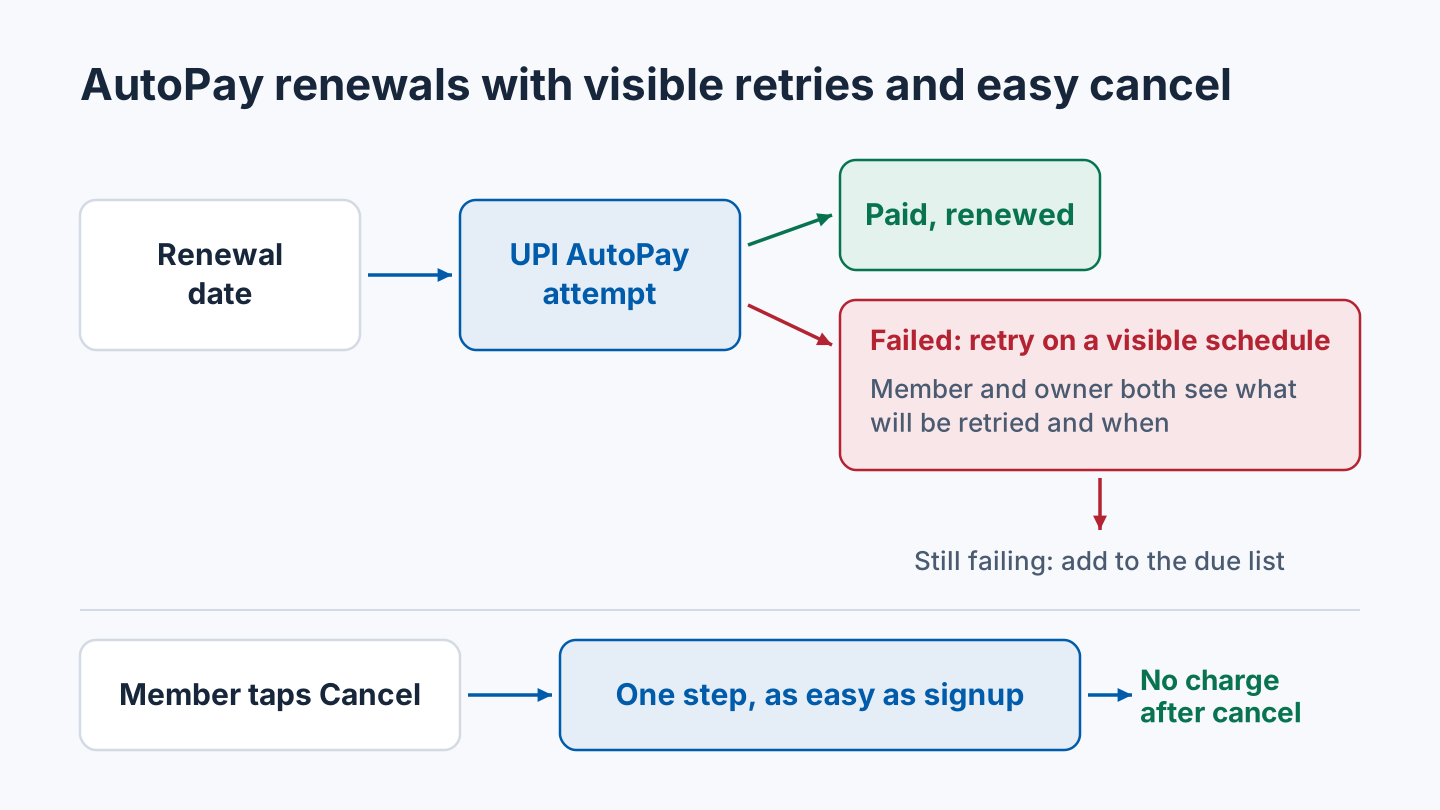
For monthly members, use UPI AutoPay for renewals. Set a visible retry schedule for failed AutoPay attempts, and show the member and the owner exactly what will be retried and when.
AutoPay only builds trust if cancellation is just as easy as signup. A member should be able to cancel in one step, and no charge should be attempted after cancellation.
Step 5: Put exit terms in writing before you sign any software contract
Before choosing billing software, get these four points in writing:
- Monthly billing, no long lock in contract.
- Free export of member and payment data, at any time.
- Commission, if any, only on payments successfully collected through the software, never on cash or clients the gym found itself.
- No charge after cancellation, and a clear date for when charges stop.
If a vendor will not put these in writing, do not sign.
The weekly routine that holds it together
Monday, 10 minutes only:
- Open the due and failed payments list.
- Check that day 0, day 3, and day 7 reminders went out.
- Follow up personally with anyone overdue by more than 7 days.
- Confirm that cancelled members were not charged again.
That is the whole system. Visibility, reminders, one tap payment, AutoPay with easy cancel, and written exit terms.
Set it up this week
You do not need to fix everything at once. Put one step in place each day and run the first Monday routine next week.
- Monday: Build the due and failed payments list with member name, amount, due date, days overdue and the result of the last payment attempt. Check that every member with money owed appears on it.
- Tuesday: Write one short reminder with the amount, due date and pay link, and set it to go out on day 0, day 3 and day 7.
- Wednesday: Create a UPI pay link or QR code and add it to every reminder, invoice and renewal notice. Test it yourself and time how long it takes from the message to the confirmation.
- Thursday: Offer UPI AutoPay to monthly members. Write down the retry schedule, and check that a member can cancel in one step.
- Friday: Send the four exit terms to your billing software vendor, or to any vendor you are considering, and ask for them in writing.
If one step is not ready by its day, move on and come back to it. The due and failed payments list from Monday matters most.
Related guides
- Gym membership billing and missed renewals shows how to keep invoices, payments and expiry dates in one record and reconcile collections before sending another reminder.
- How to increase gym renewals explains how to measure an expiry group and assign follow-ups.
- WhatsApp marketing for gyms covers message consent and keeping reminders short.
- Gym software pricing in India lists the hidden costs to ask about before you sign, alongside the exit terms in Step 5.
- How to reduce gym member churn helps you tell an overdue payment apart from a member who has stopped coming.
How Zenvore fits
Zenvore's gym billing software keeps member invoices, recorded payments and daily collection reporting together, and the renewal management page covers expiry filters and follow-ups. Staff can send one-tap WhatsApp renewal reminders on Starter, and Growth and Chain add automated WhatsApp messaging.
If your gym needs UPI AutoPay or a particular payment gateway, confirm each requirement in the demo, and ask for the Step 5 exit terms in writing.
Frequently asked questions
When should gym payment reminders be sent?
Send a reminder on the due date, again on day 3, and again on day 7. Each one needs only the amount, the due date and a pay link. Follow up personally with anyone overdue by more than 7 days.
What should a gym payment reminder include?
Three things only: the amount, the due date and a UPI pay link or QR code. Keep the message short so the member can pay in under a minute without visiting the gym or calling.
Is UPI AutoPay a good idea for gym renewals?
For monthly members it can be, as long as failed attempts are retried on a schedule the member and owner can both see, and the member can cancel in one step with no charge attempted after cancellation.
What should I get in writing before signing gym billing software?
Monthly billing with no long lock in, free export of member and payment data at any time, commission only on payments collected through the software, and no charge after cancellation with a clear end date.
See how memberships, attendance and collections work together in Zenvore’s gym management software india.